Apr 1, 2026
Instrukcjaspec-drivenkonfiguracjiOpen-ClawprzypomocyClaudeCode
# I went grocery shopping. I came back to a running AI server.
*Michał Madejski — 2026-04-14*
---
## TL;DR
I gave Claude Code one sentence, left the house for 50 minutes, and came back
to a fully installed AI agent, a hardened security configuration, server
documentation, an SSH tunnel to the dashboard, and a Raspberry Pi deployment
plan. This is not an article about AI being magic. It's an article about
**how to think about AI as an engineering partner** — and what actually happens
under the hood when you give it free rein.
---
## The adventure log
I had an evening, an idle server, and a long-postponed idea to run OpenClaw
on it — a self-hosted AI agent. I had a rough idea of what I wanted, but no
patience for hours of configuration.
It started trivially. The very first thing I asked Claude was (in Polish,
because that's what came naturally):
> *"what do i type on linux to get the address for ssh connection"*
`hostname -I`. That's it. But instead of taking the answer and continuing on
my own — I left Claude at the keyboard. I told it to connect, document what
works and what doesn't, and build me a repository that would be the
*single source of truth* for the whole project. And then, once I had a sense
it knew what it was doing:
> *"ok, going grocery shopping for 50 min, when i come back i want openclaw
> running as much as possible and telegram configured + raspberry pi planned
> + dashboard on my mac. push through, don't ask me anything, don't blow up
> my house"*
And I left.
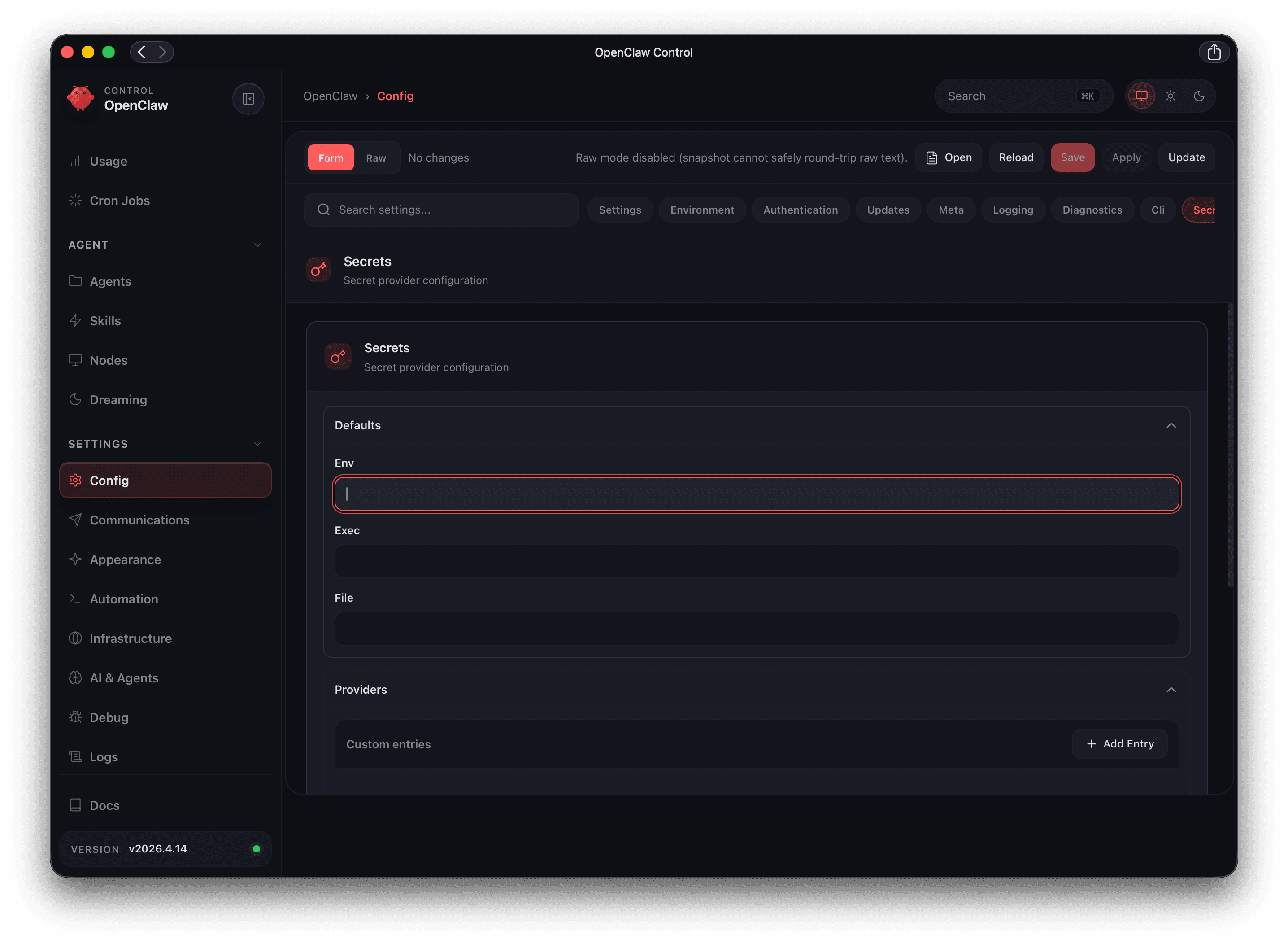
Fifty minutes later I came back. Waiting on the screen: a HANDOFF.md document
with a checklist of what to verify on return, a working OpenClaw dashboard in
the browser through an SSH tunnel, and zero critical findings in the security
audit.
I'm sitting here now trying to describe what actually happened — because
that's more interesting than the outcome.
---
## The prompt that made it work — and why it worked
First, an important point: that one-sentence grocery-run prompt **was not the
first prompt**. It was preceded by 20–30 minutes of conversation in which:
1. I described the project goal and the server context
2. I laid out the philosophy of how I wanted the project organized
("if it isn't a script, it doesn't exist")
3. I gave Claude SSH access and let it independently run a recon of the server
That matters. **An autonomous prompt only works well if the model has built up
context beforehand.** "Go grocery shopping" worked because Claude already knew:
- what the server looked like (hardware, OS, what was installed)
- what my security priorities were (I have a CLAUDE.md with a threat model)
- how I wanted the code organized (IaC-lite, idempotent bash scripts)
- what was in scope and what wasn't (no external skills without code review,
don't touch LocalAI)
If I had said "install an AI agent on my server, don't ask questions" without
that context — I would have gotten something, just not what I wanted.
**The idealized version of that prompt** — if I were to do it from scratch —
would look like this:
```
You have 45 minutes of autonomous work. End goal:
- OpenClaw installed on bluedemon and running as a systemd service
- Hardening: exec.ask=always, deny-by-default, messaging profile
- Dashboard accessible via SSH tunnel on the Mac (don't expose the port publicly)
- Telegram bot and Raspberry Pi plan in docs/ and scripts/, even if you
can't run them without me
- HANDOFF.md I can read when I get back
Constraints — do not cross:
- Don't touch LocalAI (4 crashed Docker containers — separate topic)
- Don't install any external skills
- If something is unclear — pick the better of two options and document why.
Don't ask me.
When done — stop and wait.
```
The difference: **explicit constraints** and **an instruction for handling
ambiguity** (decide yourself, don't escalate). That's probably the most
important element of a good autonomous prompt — tell the model how to handle
edge cases, not just what to do on the happy path.
---
## Before anything was installed — the snapshot and folder philosophy
Before Claude touched the installation, I asked for something that doesn't
normally happen before "running the tutorial": **a full reconnaissance of the
existing state**.
The result: a script `01-recon.sh` that collected a server snapshot over SSH —
hardware, processes, open ports, installed packages, Docker state, filesystem
layout — and saved everything as plain text files in the `snapshot/` directory.
Read-only. Zero changes on the server. Pure observation.
```
open-claw/
├── CLAUDE.md ← my original briefing (untouched)
├── docs/ ← prose: what, why, troubleshooting
│ ├── 00-ssh-setup.md ← how Claude connected
│ ├── 01-server-baseline.md ← snapshot analysis
│ ├── 02-openclaw-install.md
│ └── HANDOFF.md ← what to check on return
├── snapshot/ ← captured server state (in git)
│ ├── hw-os.txt
│ ├── gpu.txt
│ ├── network.txt
│ ├── services.txt
│ └── INDEX.md
└── scripts/bootstrap/ ← idempotent bash scripts
├── 01-recon.sh
├── 02-install-openclaw.sh
├── 03-harden.sh
└── 04-tunnel-dashboard.sh
```
The philosophy I imposed at the start: **if it isn't a script, it doesn't
exist**. Every repeatable operation must be a script. Every decision that could
be forgotten must be in docs. Nothing we "did by hand and remember."
Claude took this literally. It wrote scripts that are *idempotent* — you can
run them multiple times and they always converge to the same state. That's not
obvious when you're writing bash for the first time. Idempotency requires
thinking "what if this is already installed?" at every step.
Example from `02-install-openclaw.sh`:
```bash
# Instead of simply:
npm install -g openclaw
# The script checks first:
if openclaw --version 2>/dev/null | grep -q "2026"; then
ok "openclaw already installed, skipping"
else
npm install -g openclaw
fi
```
The second key principle: **the snapshot goes into git, but the scripts scrub
secrets from it before writing**. API tokens, passwords, keys — never in
`snapshot/`. Values replaced with `[REDACTED]`. This means the server state
is documented historically (git blame shows how it evolved), while the
repository stays safe to share.
The effect: by the time I left for the grocery store, Claude had a **map of
the terrain** before changing anything. It knew port 18789 was free, that
LocalAI wasn't running (even though the briefing said otherwise), that nvm
wasn't installed, that linger was disabled. It wasn't guessing — it was
reading data.
---
## Three technically interesting discoveries
### 1. The documentation was lying — the model caught it
I have a `CLAUDE.md` file in the project — a "briefing" for the model that
describes the architecture, security posture, and technology stack. One line
said: *"LocalAI is already running on this server and using the GPU."*
Not true. The server recon via SSH showed 4 Docker containers in `Exited` or
`Created` state — never started. GPU idle. No model was loading.
Claude didn't challenge CLAUDE.md verbally. Instead, it wrote in the docs:
> *"CLAUDE.md states that LocalAI is running, but the snapshot says otherwise.
> My recommendation: skip the provider during onboarding — LocalAI debugging
> is a separate topic."*
And moved on. **A good model doesn't update its world-view just because
something is written in the context — it verifies against observation.**
That's exactly the property you want in an autonomous agent.
---
### 2. Schema drift — how to discover an API without documentation
OpenClaw has a configuration file with thousands of possible keys. My CLAUDE.md
contained configuration paths from a previous version of the software:
```
# old (CLAUDE.md):
agents.defaults.exec.ask = always
# current (v2026.4.14):
tools.exec.ask = always
```
The problem: the installed version was 2026.4.14, the briefing referenced an
older schema. Classic *schema drift* — documentation lagging behind the
software.
How did Claude catch it? It used `--dry-run`:
```bash
openclaw config set --batch-json --dry-run '{"agents.defaults.exec.ask": "always"}'
# → Error: Unrecognized key: exec (in agents.defaults)
```
Then it iteratively probed the schema:
```bash
openclaw config schema | grep -i exec
# → tools.exec.ask, tools.exec.security, ...
```
The methodology: **dry-run before writing. Instead of reading 48,000 lines of
schema — grep and probe.** This is what any engineer does instinctively with
an unfamiliar API, but it's non-obvious that a model will do the same without
being told.
---
### 3. How to pass a password safely through SSH to a script
The problem: I want a bash script to run `sudo` commands on a remote server
over SSH. `sudo` requires a password. I don't want the password to appear:
- in process arguments (visible in `ps aux`)
- in a file (persists on disk)
- in logs
The solution Claude proposed:
```bash
# Environment variable (not exported to children)
REMOTE_SUDO_PW='...'
sudo_remote() {
ssh bluedemon "echo '${REMOTE_SUDO_PW}' | sudo -S $*"
}
```
Why `echo | sudo -S` rather than `sudo -S <<< "$PW"`:
- `sudo -S` reads the password from stdin
- `echo |` pipes it — doesn't appear in `/proc/<pid>/cmdline`
- The variable isn't exported — no subprocess inherits it
It's not perfect (the password lives in process memory, `set -x` would expose
it), but it's the right trade-off for a script that runs locally over SSH and
never lands in git.
---
## What this says about working with autonomous models
Three observations I'm taking away from this session:
**Context matters more than the prompt.** The quality of autonomous work is
proportional to the quality of context you invested before. CLAUDE.md, the
server recon, clear rules — all of that was an upfront investment that paid
back in those 50 minutes.
**The model should handle ambiguity, not escalate it.** The best instruction
in autonomous mode is "if something is unclear — pick the better option and
justify it." Escalating to the user is expensive and breaks autonomy. A good
model knows when to decide on its own.
**Documentation as a first-class deliverable.** The most valuable output of
this session isn't the running OpenClaw — it's HANDOFF.md and the docs/
directory. The deployment itself can be repeated from a script. The knowledge
of *why* something was done a particular way — that's what normally disappears.
---
## What's next
The system is running. I have a dashboard, a hardened configuration, and zero
critical findings in the security audit. Next steps are the Telegram bot
(waiting on a token from BotFather) and a Raspberry Pi with a "Jarvis"
wake-word in the living room — the full architecture is already in the
repository, just waiting on hardware.
I'm maintaining the infrastructure repository with repeatability in mind —
every script is idempotent, every decision is documented. If the server dies —
reinstalling from scratch should take as long as it takes to read `docs/` and
run the scripts.
If you have questions or want to dig into any of the technical threads —
reach out. I'm particularly happy to talk about security models for AI agents
and how to design context for autonomous sessions.
---
*Michał Madejski*
*AI Possibilities Lab*
AIOpen-ClawAutomatyzacje